Nodavera

FROM COMPLEXITY TO CLARITY

Do you know exactly how your applications are connected?

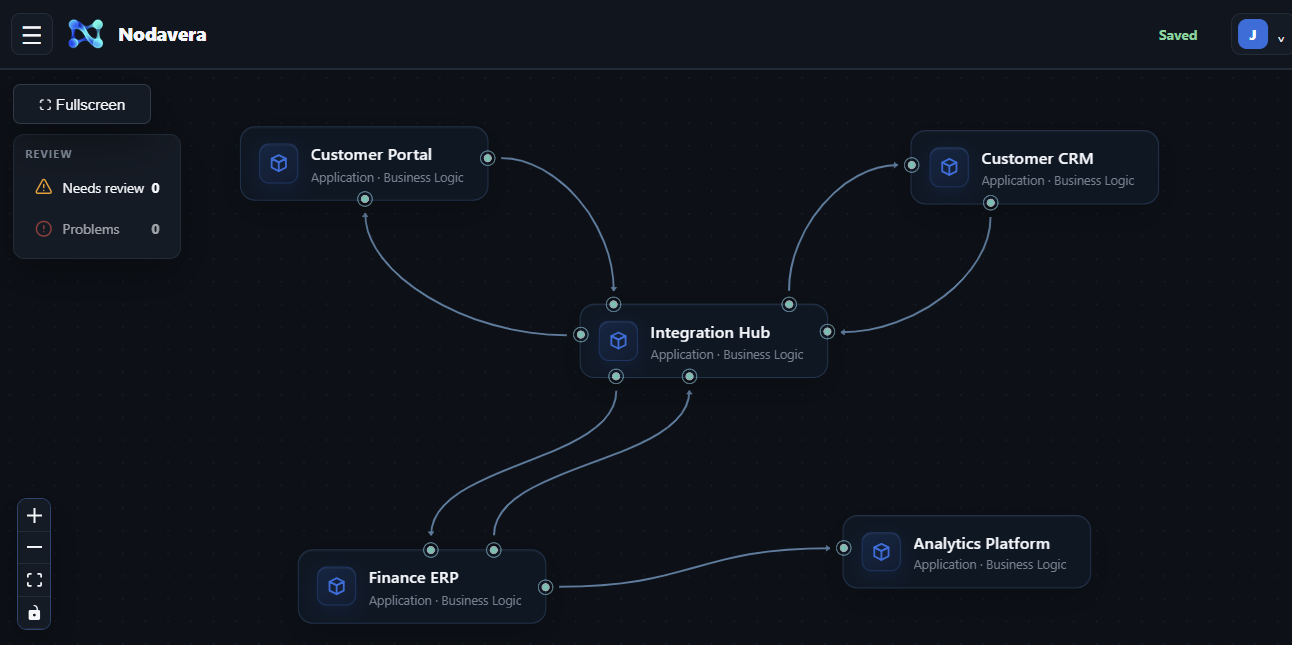
In many organizations, knowledge about applications, APIs, interfaces and data flows is scattered across documents, source code and people. That makes existing integrations difficult to understand and change. Nodavera uses AI to analyze available information and turn it into a clear integration landscape, data mappings and technical designs for your engineering team.

Nodavera app: integration landscape overview

FROM INPUT TO IMPLEMENTATION

One process. A connected design.

Start with what you have. Each step builds on the last: from sources and proposals to a reviewed landscape, refined mappings and designs your team can work from.

01 / Collect inputs

Bring your sources together.

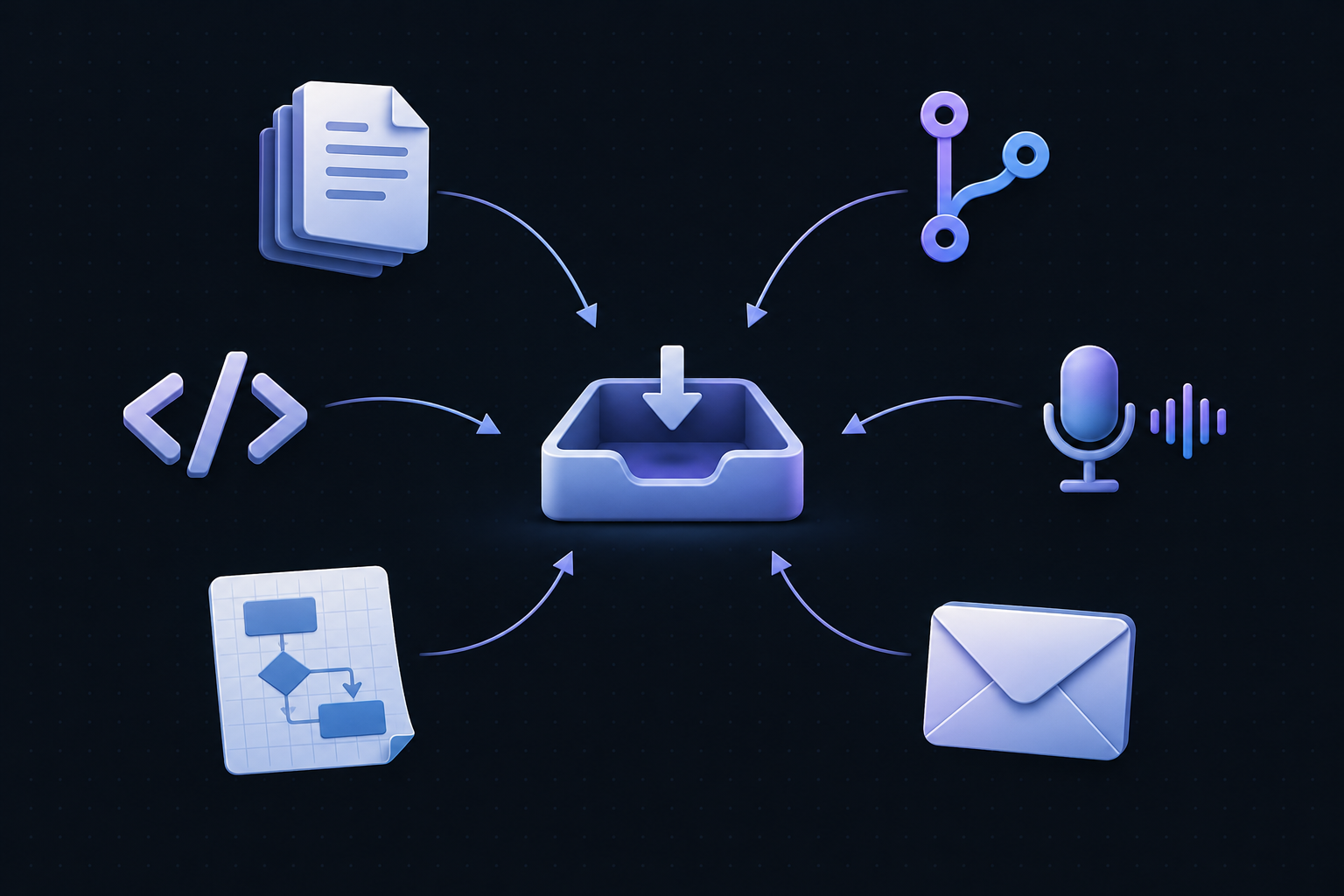
Upload documents, code, designs and emails. Add spoken explanations and Git repositories as inputs. Start with the knowledge you already have, in the form you have it.

  • Documents
  • Git repositories
  • Code
  • Spoken input
  • Designs & process sketches
  • Emails
Illustration: documents, Git, code, voice, designs and emails come together as inputs for Nodavera

Your collected sources provide the input for AI discovery.
02 / Discovery

Let AI discover the connections.

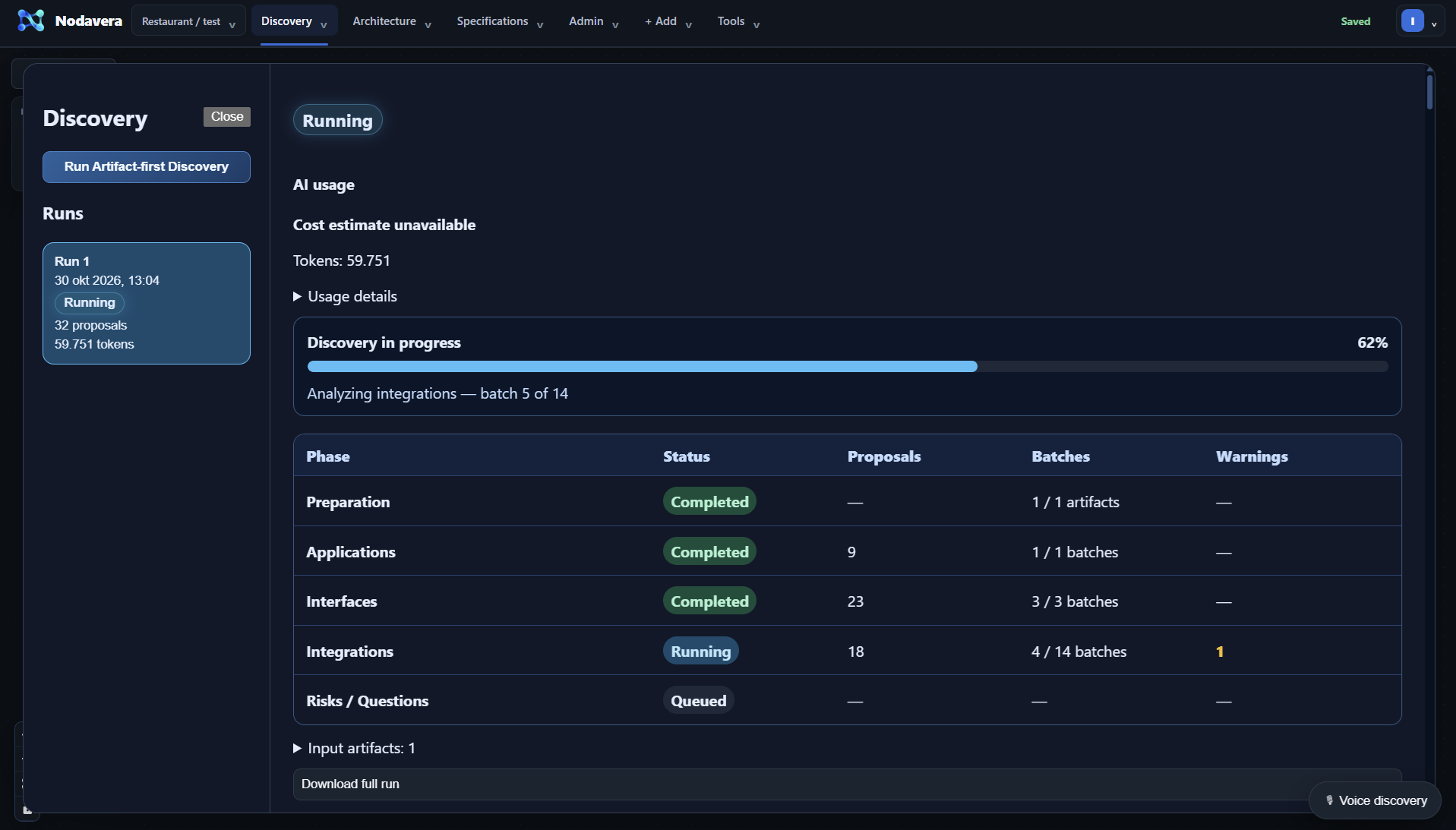
Let AI analyse your collected sources and propose applications, interfaces and integrations. Follow the progress of the Discovery run and explore its results.

Nodavera Discovery: a running discovery process with progress and phase status
View full-size screenshot

Use these proposals as the starting point for your review.

03 / Evidence & Review

Turn proposals into a reviewed model.

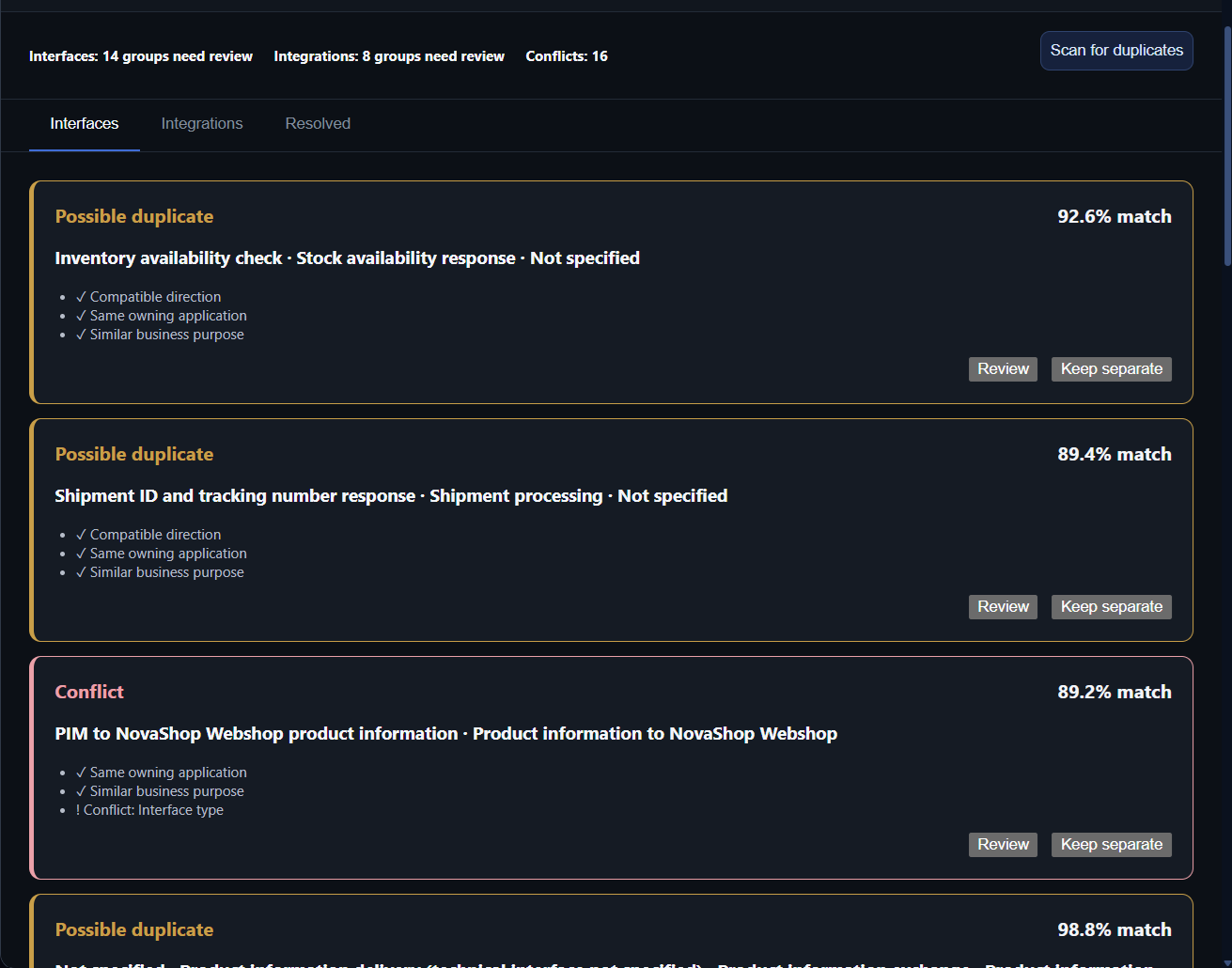
Review AI proposals, compare possible duplicates and resolve conflicts. Review and reconciliation help you decide what to merge, keep separate or investigate further.

Nodavera Evidence & Review: review possible duplicate interfaces and conflicts
View full-size screenshot

The reviewed information becomes the foundation of your integration landscape.

04 / Integration Landscape

Design with the whole picture in view.

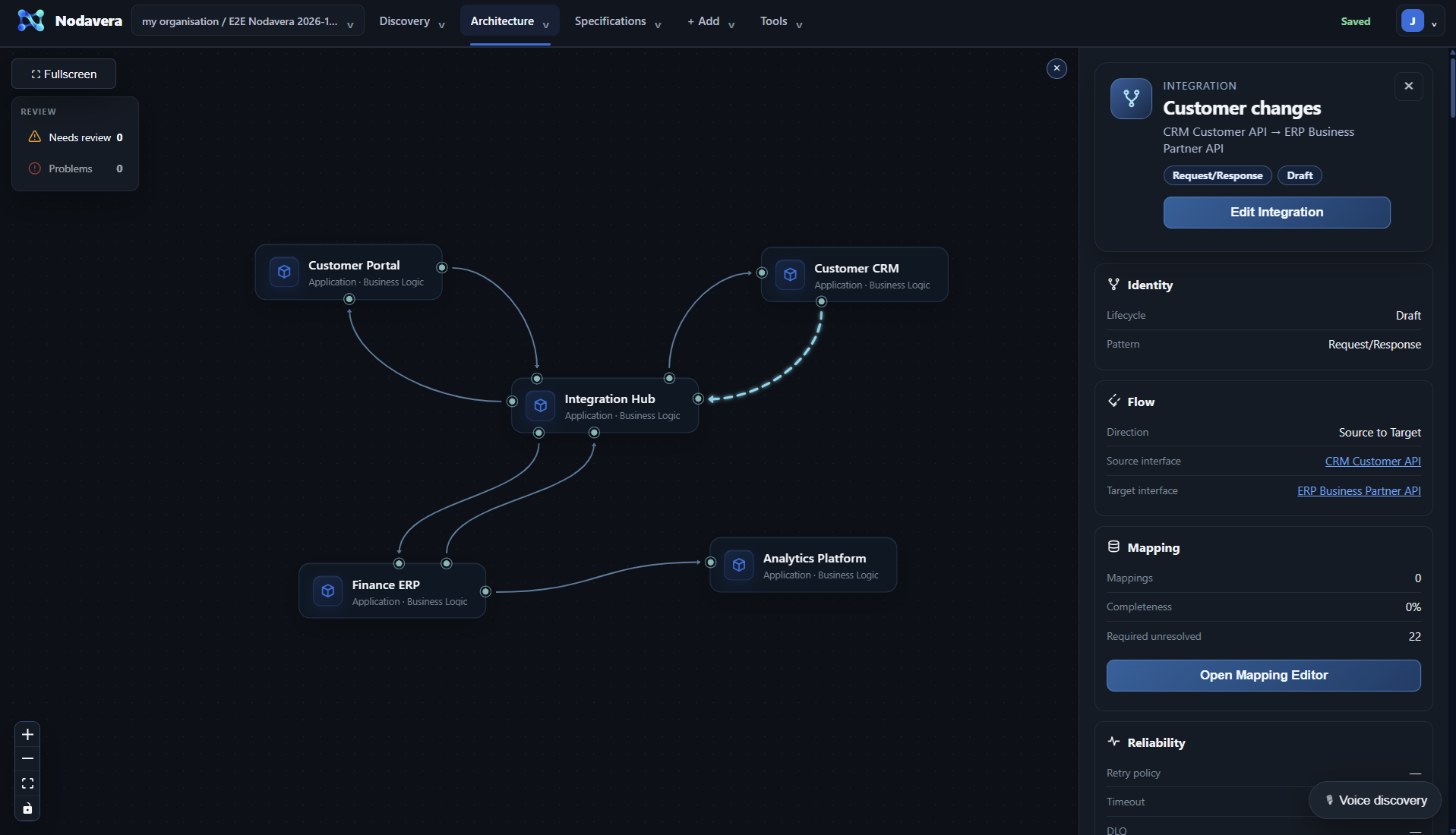
Explore systems, interfaces and connections in context. Refine the landscape and move from the overview to the integration you want to develop.

Nodavera Integration Landscape: systems and connections
View full-size screenshot

The selected design provides context for field mapping.

05 / Mappings & Specifications

Let AI propose. Keep control of the detail.

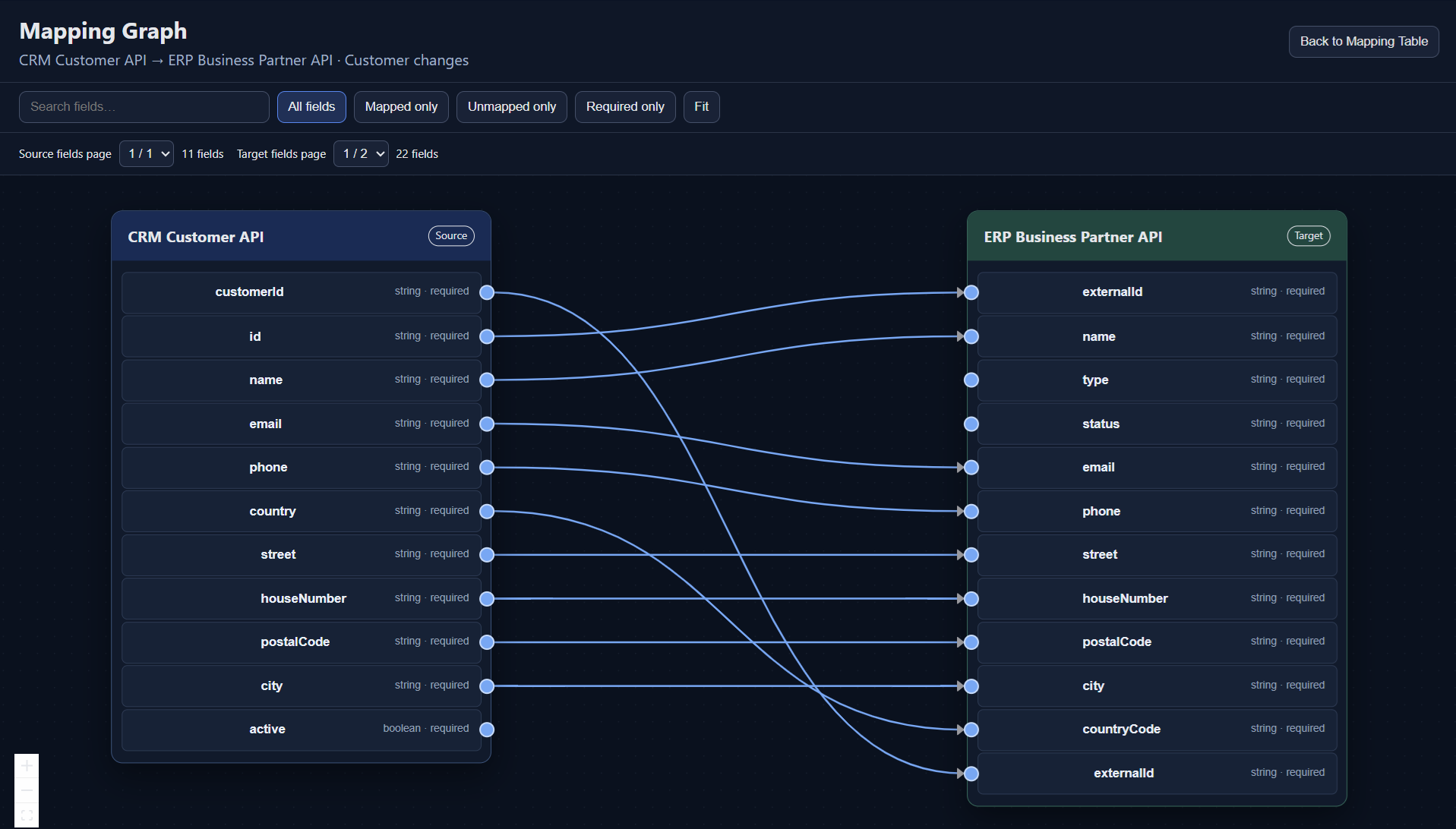
Use AI to suggest source-to-target field mappings. Check the proposals and refine mappings and transformations manually so that technical details match the design.

Nodavera Mappings & Specifications: field mappings and specifications
View full-size screenshot

The landscape and refined mappings provide the input for your design documents.

06 / High-level & Low-level Design

Give engineering teams a concrete starting point.

Generate high-level and low-level designs from the architecture and mappings you have defined. Give engineering teams both the overall picture and the technical detail.

High-level design

Architecture and context

Low-level design

Interfaces, mappings and technical detail

Carry the same context from design into implementation.

07 / Integration generation In development

Next: from design to execution.

We are developing deterministic integration generation from the defined design, with execution in a container. This capability is still in development and is not yet ready for regular use.

NODAVERA

From your first source to a design your team can use.

See how discovery, review, architecture and mapping connect in a demo.

Request a demo

Real app screenshots with sample data. Integration generation and container execution are still in development.